Your record of marks, report cards and schemes of work in one app

Made for Zimbabwean teachers, ECD A to Form 6. Enter marks, print report cards for the whole class, and make a full scheme of work and lesson plans in minutes.

Record of Marks is free. Works without internet. Your work stays on your device, locked with your PIN.
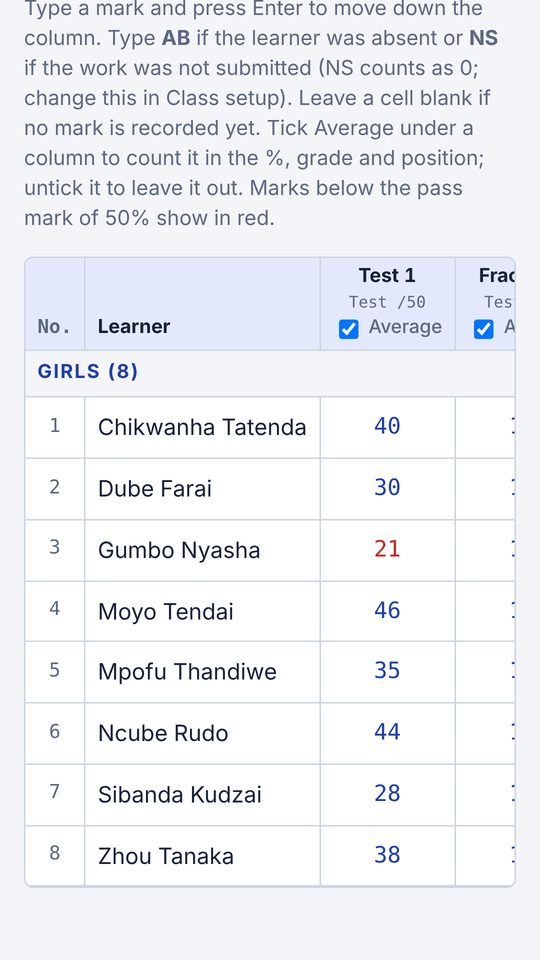
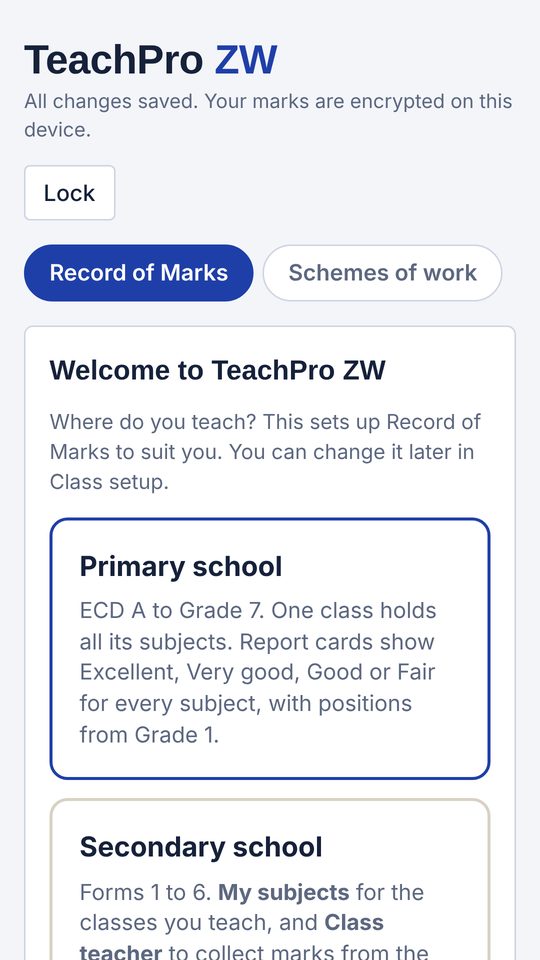
TeachPro ZW on a phone: entering marks for a class

Everything a teacher writes by hand, done for you

One app for your marks, report cards, schemes of work and timetable, on your phone and on the school computer.

Record of marks

  • Primary or secondary
  • Find a learner by name and type the mark: no scrolling
  • List of learners whose work was not submitted (NS)
  • Percentages, grades and positions worked out
  • Mark sheets, test analysis and term reports
  • Import learners from Excel

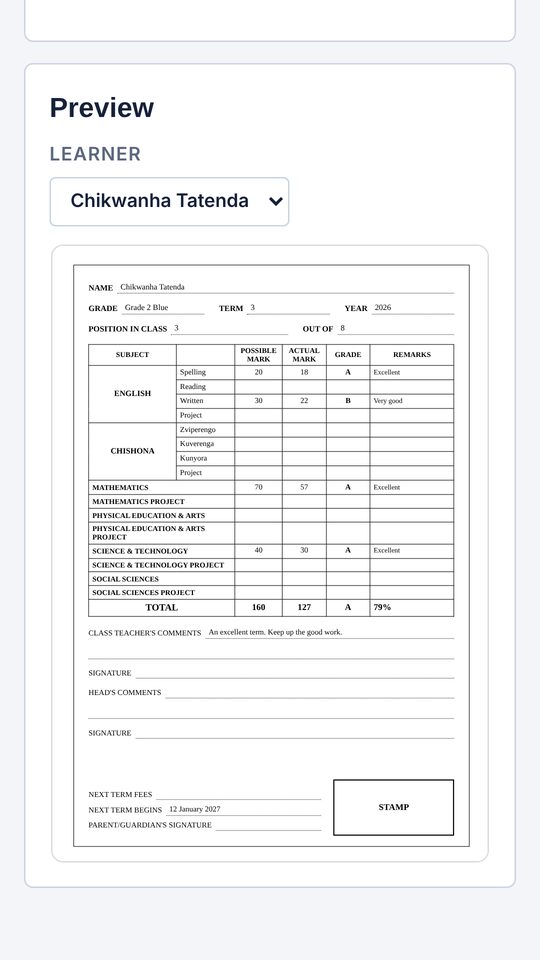
Report cards

  • Grade 1 to 7 cards and the ECD checklist
  • Secondary: subject teachers send marks to the class teacher
  • O Level grades, A Level points
  • Your school's name, logo and colours
  • Print all, or one PDF for the office

Schemes of work

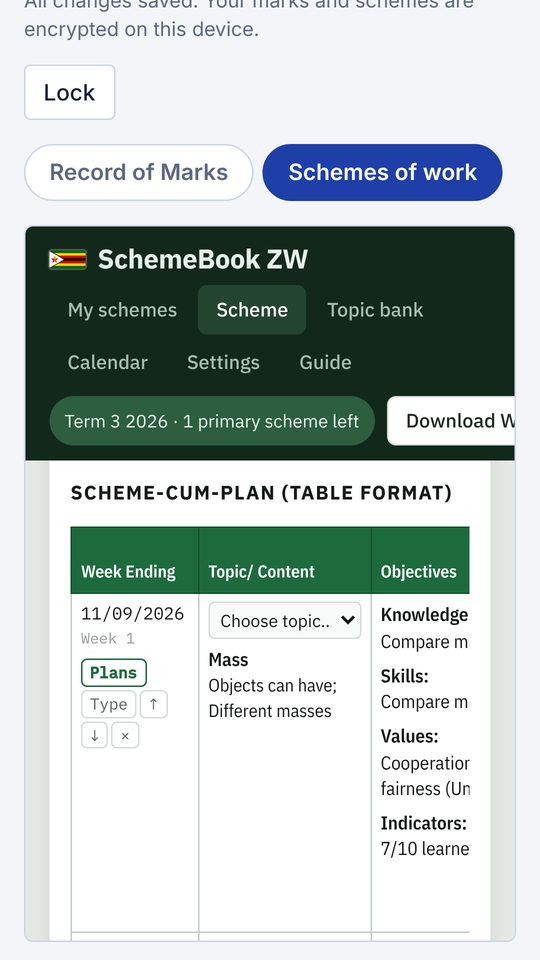
  • Choose class, subject and term, tick topics
  • Ready topics from the Ministry syllabuses: ECD A to Grade 7, and Forms 1 to 6 in 32 subjects
  • Ministry term dates for 2026 and 2027
  • Download Word or PDF, or print

Plans and calendar

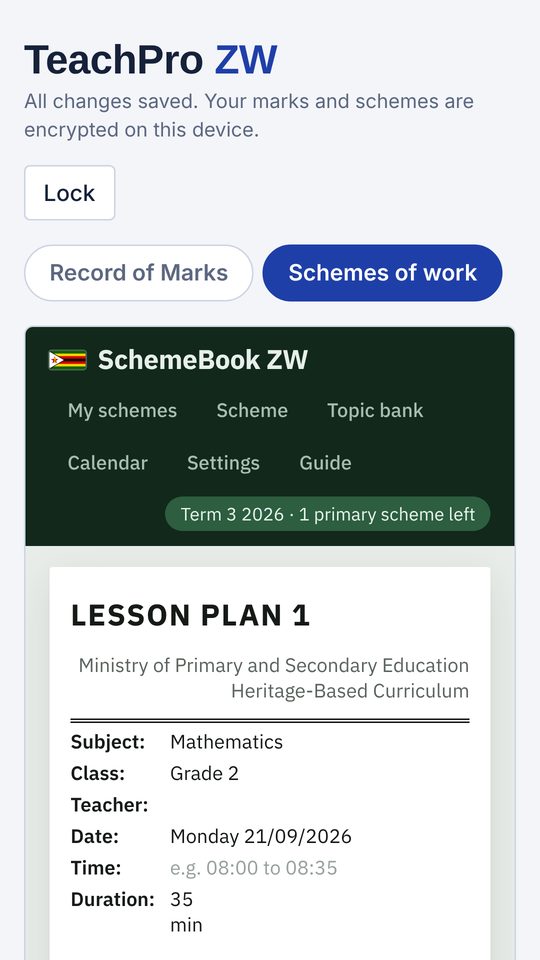
  • Daily lesson plans for every week of a scheme
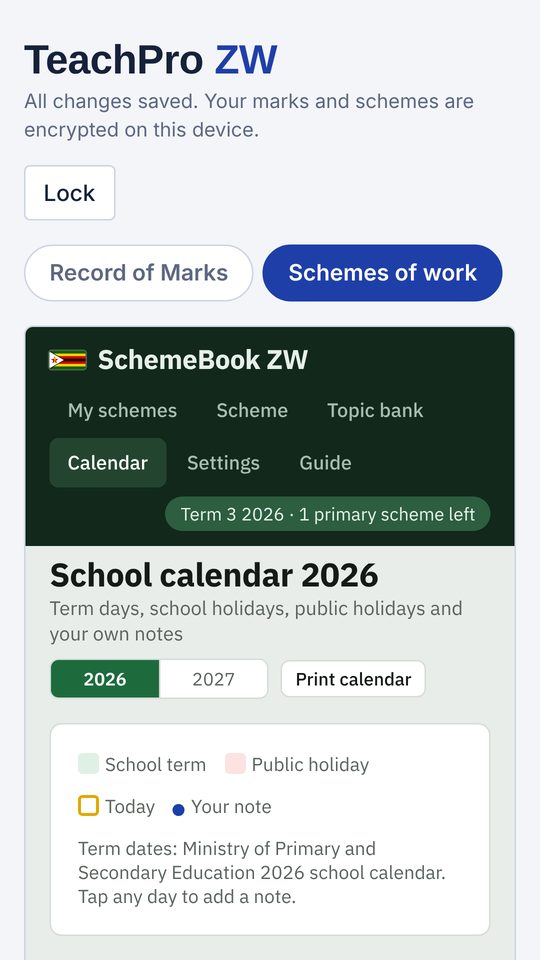
  • School calendar with holidays and your notes
  • Weekly timetable with lesson reminders
  • Timetable maker: type your periods and doubles, TeachPro lays out the week

See it on a phone

Swipe to see more.

Choosing primary or secondary school
Primary or secondary
Entering marks
Enter marks
Primary report card preview
Report cards
A scheme of work
Schemes of work
A daily lesson plan
Lesson plans
School calendar
School calendar

Prices

Download and try everything first. You only pay for what you use, per device, in US dollars.

Free

Record of Marks

US$0
always free
  • Classes, learners and marks
  • Mark sheets, analysis and term reports
  • Class lists with each learner's marks per subject and position
  • Timetable and reminders

Schemes of work

US$5
per term
  • 5 secondary schemes or 2 primary schemes (ECD to Grade 7)
  • Extra schemes: US$1 each (secondary), US$2.50 each (primary)
  • Lesson plans included
  • Make any scheme and see Week 1 free

Report cards

US$5
per year, 1 January to 31 December
  • Primary and secondary
  • All your classes, every term
  • Print all cards or save one PDF
  • Set up and preview free

How to pay

Pay with EcoCash and get your code on WhatsApp, usually within a few hours.

  1. Install the app and find your device number. In Schemes of work tap the yellow button at the top (for report cards: the yellow box on the report cards screen). Your device number is shown there.
  2. Pay by EcoCash USD to 0773 359 000. For US$5 dial *153*1*1*0773359000*5#. For another amount, change the 5 to the amount.
  3. Send the proof and your device number on WhatsApp to 0773 359 000, and say what you are buying (term licence, extra schemes or report cards).
  4. Paste the code in the app and tap Add code (or Unlock report cards). Each code works on that one device.

Download

Version 3.3. Free to download and install.

Android phone or tablet

Android 7.0 or newer. 1.5 MB.

Download TeachPro ZW.apk

Open the downloaded file and tap Install. If your phone asks, allow Install unknown apps for your browser. If Play Protect warns about an unknown app, tap More details, then Install anyway.

Windows computer or laptop

Windows 10 or 11, with Edge or Chrome. 12 MB.

Download TeachPro ZW.exe

Save it to the Desktop and double-click it. If Windows shows "Windows protected your PC", click More info, then Run anyway.

Getting started guide (PDF): step by step, from your first class to printing report cards.

Free teacher swops

Want to move closer to home? Post where you teach and where you want to go, and see teachers who want to swop with you. Free for every teacher, no agents, no fees.

Find or post a swop

Questions

Do I need internet?

No. Everything works offline. You only need data to download the app and to send WhatsApp messages.

Where is my work saved? Is it safe?

On your own phone or computer, locked with your PIN. Nothing is sent to us. Use Export / import to make a backup now and then.

I have a new phone. What happens to my work and codes?

Move your work with Export / import. Codes work on one device, so send us the new device number and we will help.

Which subjects and grades have ready topics?

ECD A to Grade 2 (2024 infant syllabuses); Grades 3 to 7 in English, Indigenous Language, Mathematics, Science and Technology, Social Science, and PE and Arts; and Forms 1 to 6 in 32 subjects, including English, Indigenous Languages, Literature, Mathematics, Pure, Mechanical and Statistics at A Level, Combined Science, Biology, Chemistry, Physics, Geography, History, Heritage Studies, FRS, Agriculture, Accounting, Business, Computer Science, Food, Wood and Textile Technology, Art, Musical Arts and more. For any other subject you can make a blank scheme and type your own topics.

How do I update the app?

Download the new version from this page and install it over the old one. Do not uninstall first: that deletes your work.

Something is not working

WhatsApp 0773 359 000 with a photo of the screen.